Onboarding
A shelf that's yours in a minute
Overview
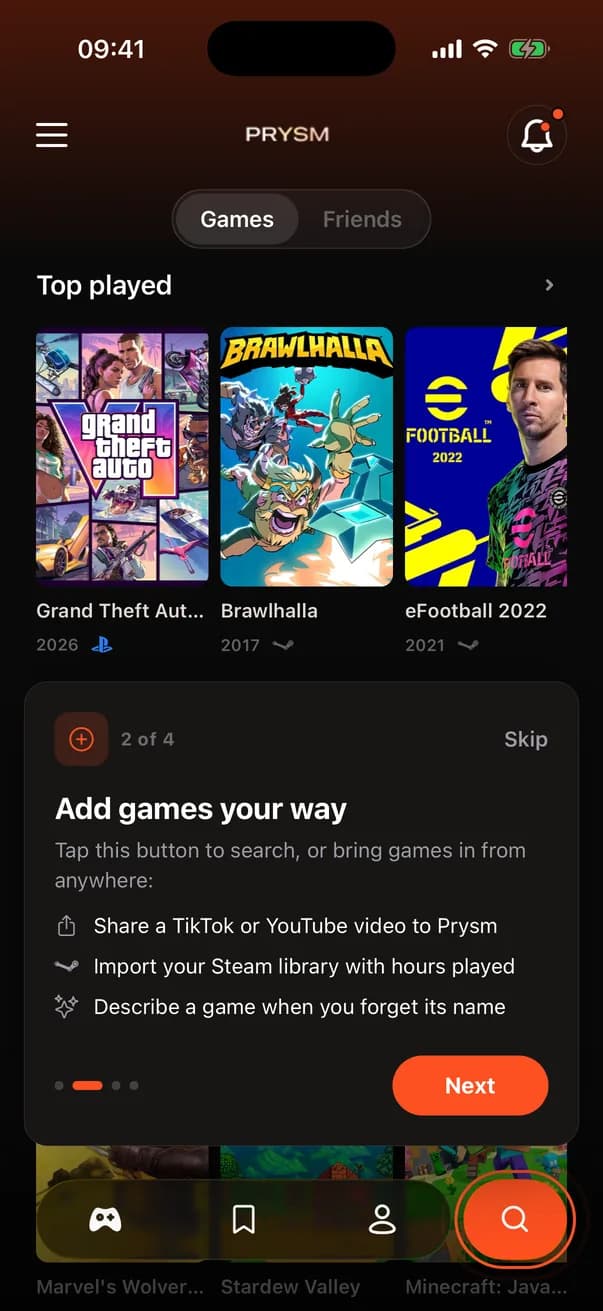
A new account goes through six short steps: what to call you (at least three letters), a unique username (3 to 20 letters, numbers or underscores, checked for availability as you type), where you play (PlayStation, Mobile, Nintendo, Xbox, PC), an import step if the platforms you chose have one, a first game to start the shelf, and players like you to follow. After an import, the games step changes to “What are you playing right now?”. Platforms, import, games and friends all have Skip. Then the home screen runs a four-step first-run tour.
How it works
- 1
The steps are a fixed list, and the import step only exists when a chosen platform has something to import. Back and next skip it automatically when it doesn't apply.
- 2
The import step runs the same imports as Settings and never blocks: you can move on while it finishes.
- 3
Players like you come from a database function that ranks people by how many games you have in common.
- 4
Onboarding shows only for accounts created in the last 30 minutes that have not finished it. Completion is remembered per user on the device.
- 5
The ads SDK, and with it the consent and tracking prompts, does not start until onboarding is over. No paywall trigger sits inside it.
Key decisions
One game, not three
An earlier version asked for three games before you could continue. The team called that fake friction and dropped it to one: enough to put something on the shelf, not enough to feel like homework.
Import as the fast path
Picking games by hand is slow. Offering Steam, Xbox, PlayStation or the Android scan right after the platforms question fills the shelf in one step, with hours played, which also makes the home screen useful on day one.
No notification prompt
There is no permission step. Prysm asks for notifications only when you turn on a release reminder, when the reason is obvious.
No ads, no paywall
The first minutes decide whether the app is worth keeping. Nothing that asks for money or attention appears until you have a shelf.